Submitting data to the Fraud Consortium
Last updated: August 25, 2026
Submitting data is what unlocks and renews your consortium access. This guide covers the schema, how to upload, and what to expect after a submission.
Use the closure_reason field to be specific about *why* a case is on the list — see Closure reasons below.
What gets submitted
Submissions go through a single endpoint that accepts a flat CSV upload:
POST /consortium/submissions
Content-Type: multipart/form-data
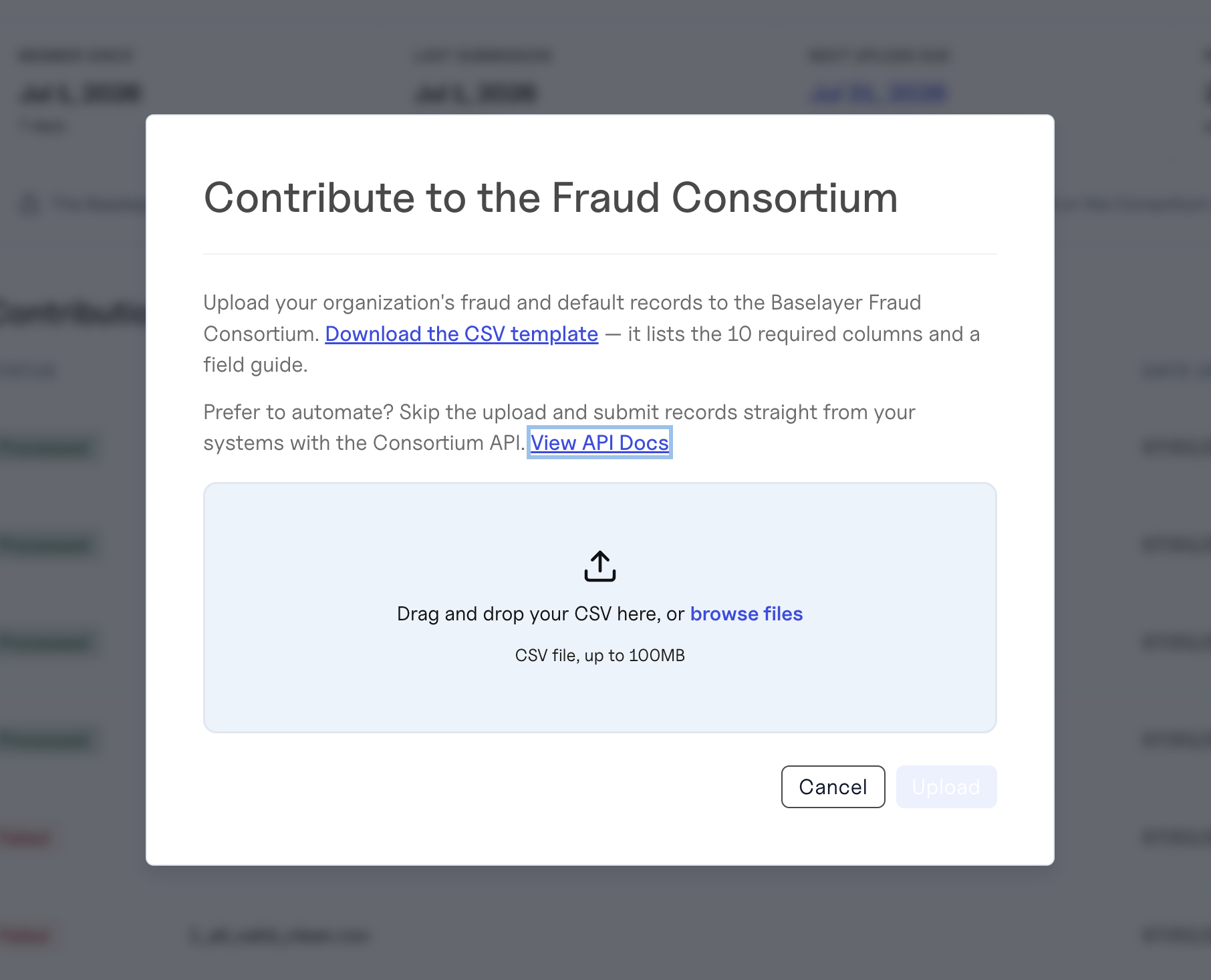
The same flow is available in the console under Consortium Membership → Submit Data (CSV upload).
Each row in the CSV represents one excluded business. We recommend submitting monthly, even if you only have a handful of new cases — small, regular submissions keep your data fresh and your access uninterrupted.
The CSV schema
A downloadable template is available at the bottom of this article and in the console.
Required fields
All 10 of these must be present and populated in every row.
Column | Type | Notes |
|---|---|---|
| string | Legal name of the business. |
| string | Full single-line address (street, city, state, ZIP). Baselayer normalizes this at ingestion. |
| enum | See Product types. |
| date (YYYY-MM-DD) | When the applicant applied. |
| date (YYYY-MM-DD) | When the account/loan was opened. |
| date (YYYY-MM-DD) | When it was closed/written off. |
| enum |
|
| enum | Granular reason — see Closure reasons. |
| string | First name of the primary owner / personal guarantor. |
| string | Last name of the primary owner / personal guarantor. |
Optional but highly recommended
These dramatically improve match coverage across the consortium. Submit anything you have.
Column | Type | Why it matters |
|---|---|---|
| string (9 digits, EIN) | Strongest single identifier. EIN reuse across business names is a primary fraud signal. |
| string (10 digits) | Catches owners recycling phone numbers across synthetic businesses. |
| Catches recycled contact info. | |
| string | Matched on registered domain (lowercased, no protocol). |
| string | IP reuse across applications. |
| string | Captures the second guarantor when present. |
| string | Improves disambiguation on common names. |
| string | Owner-level address signal. |
Other optional fields
Column | Type |
|---|---|
| string |
| string |
| string |
| enum ( |
| enum ( |
| string |
| date (YYYY-MM-DD) |
| boolean ( |
| integer |
| decimal |
| decimal |
| enum ( |
| string |
Enum reference
Product types
Code | Meaning |
|---|---|
| Deposits / Savings |
| Credit / Charge Cards |
| Working Capital / Term Loan |
| Line of Credit |
| Equipment Finance |
| Merchant Cash Advance |
| Payments |
| Other |
Closure status
Code | Meaning |
|---|---|
| Closed/ No Loss |
| Write Off |
| Settled |
Closure reasons
Code | Meaning |
|---|---|
| Business Closed |
| Unable to Pay |
| First Party Fraud |
| Identity Fraud |
| Synthetic Identity Fraud |
| Confirmed Fraud- Typology Unspecified |
| Bankruptcy |
| Credit Write-Off- Other |
| Compliance/ AML Exit |
Use the most specific fraud code you can. The consortium currently treats every contributed row as fraud-flagged in matches, but in a future version we'll distinguish between bad payments and fraud — your specificity today protects you later.
Application channel
Code | Meaning |
|---|---|
| Organic |
| Broker |
| ISO |
| Other |
Payment frequency
Code | Meaning |
|---|---|
| Daily |
| Weekly |
| Biweekly |
| Monthly |
| Quarterly |
| Annually |
Uploading your file
Via the console
Open Consortium Membership in the left nav.
Click Submit Data.
Select your CSV. The console performs the same validation as the API and shows row-level errors inline.
Submit. Processing happens asynchronously; you'll see a Processing state for a few minutes before it transitions to Completed.
Via the API
curl -X POST 'https://api.baselayer.com/consortium/submissions' \
  -H 'Authorization: Bearer YOUR_API_KEY' \
  -F 'file=@exclusions_2026_06.csv;type=text/csv'
A successful upload returns 202 Accepted:
{
  "id": "9f3e8a2c-...-...",
  "name": "exclusions_2026_06.csv",
  "state": "PENDING",
  "submitted_records": 0,
  "valid_records": 0,
  "created_at": "2026-06-14T22:01:33Z"
}
state is one of PENDING, EXECUTING, COMPLETED, FAILED, or CANCELLED. Once the async pipeline has processed the file (typically within a few minutes), state becomes COMPLETED and submitted_records / valid_records are populated.
What happens after you submit
Validation. The CSV is parsed and each row is validated against the schema. Rows that fail validation are flagged with row-level errors but do not block the rest of the file.
Your cadence resets. As long as at least one row is valid, the submission counts and keeps your access active. If your status was Inactive, it returns to Active.
Resolution. Baselayer attempts to resolve each row to an internal
business_idand indexes EIN, phone, email, website, address, and officer names so any subsequent search across the consortium can match on those signals.Visibility. Your submitted rows become visible to other consortium members as anonymized hits (your org name is never revealed in match results).
Cadence edge cases
Submitted a file where every row failed validation → it does not count as a submission (zero valid rows). Error report returned for fixing.
Submitted a file with mixed valid/invalid rows → it counts as a submission. Error report is still produced for the bad rows.
Submitted twice in the same week → your cadence is measured from the most recent successful submission.
Submitted retroactive historical data → cadence is measured from the date Baselayer received the file, not the fraud-case dates inside it.
Viewing your submission history
Via the API
GET /consortium/submissionsReturns submissions across your entire organization (all applications under the org), most recent first. The response is a JSON array of submission objects; page through it with the limit, offset, and cursor query parameters.
[
  {
    "id": "9f3e8a2c-...",
    "name": "exclusions_2026_06.csv",
    "state": "COMPLETED",
    "submitted_records": 142,
    "valid_records": 139,
    "created_at": "2026-06-14T22:01:33Z"
  }
]
Re-downloading a submission
GET /consortium/submissions/{submission_id}/downloadReturns a 307 redirect to a short-lived signed URL of the originally uploaded CSV. Useful for auditing what you sent or rebuilding a working file.
Data quality tips
Normalize your data before upload. Baselayer normalizes phones, emails, and websites at ingestion, but garbage-in / garbage-out still applies. Trimming whitespace, removing stray characters, and validating EIN format on your end will get you cleaner matches.
Include EIN whenever you have it. It's the single highest-signal field.
Include both owner and secondary owner when both signed. Fraudsters frequently rotate the "primary" guarantor across applications; capturing both massively improves catch rate.
Don't submit duplicates. The pipeline will dedupe, but pre-deduping makes your error reports cleaner.
Template files (available in the console)
CSV template:
exclusion_template.csv— empty file with all column headers.Field guide (plain text):
field_guide.txt— quick reference for required/optional fields and enum values.