How do I adjust which watchlists are screened and how strictly names are matched?
Last updated: October 9, 2026
You can tune watchlist screening for your organization from the console. Click your name at the bottom of the left sidebar and choose Settings. Only users with permission to update the organization (typically admins) can change settings; everyone else sees them read-only.
Each of the six lists has its own controls:
On/off: a list you turn off is skipped on every business search until you turn it back on. It is left out of
watchlist_hitsentirely, rather than shown with a count of 0.Match sensitivity (similarity threshold): how closely a name must match an entry on that list before it is reported as a hit. A higher percentage returns fewer, more exact matches; a lower one catches more spelling variations but returns more potential false positives. The default is 95% for every list.
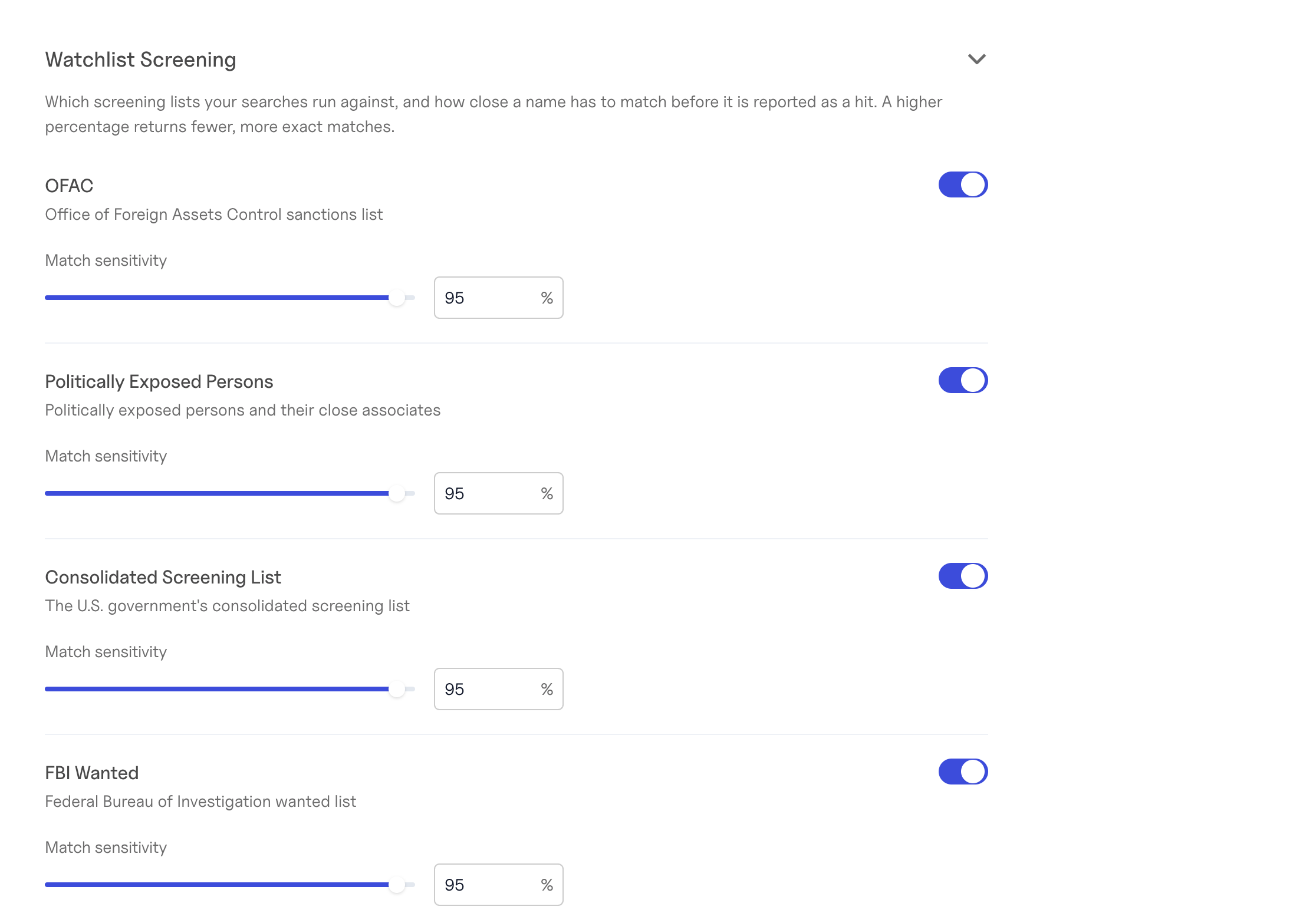
The six lists are OFAC, Politically Exposed Persons, the Consolidated Screening List, FBI Wanted, Canadian sanctions, and OIG Exclusions. A common setup for customers outside healthcare is to turn OIG off or raise its threshold, while leaving OFAC and CSL at the default.
What the threshold does and doesn't cover.
It applies to the names you submit in a search. Hits on the shared business profile (
business.watchlist_hits) are always screened at the 95% default, although lists you turn off are hidden there too.Standalone watchlist checks (for example
GET /watchlistsorPOST /ofac/searches) don't use these settings; you set the threshold on each request instead.
Changes take effect for searches run after you save. Searches already completed keep the results they returned. There is no extra cost. To undo your changes, select Reset to default settings at the bottom of the Settings tab.
Turning a list off means your searches will not report hits from it, so confirm any change with your compliance team before saving.
More detail: Account Settings in the API docs.